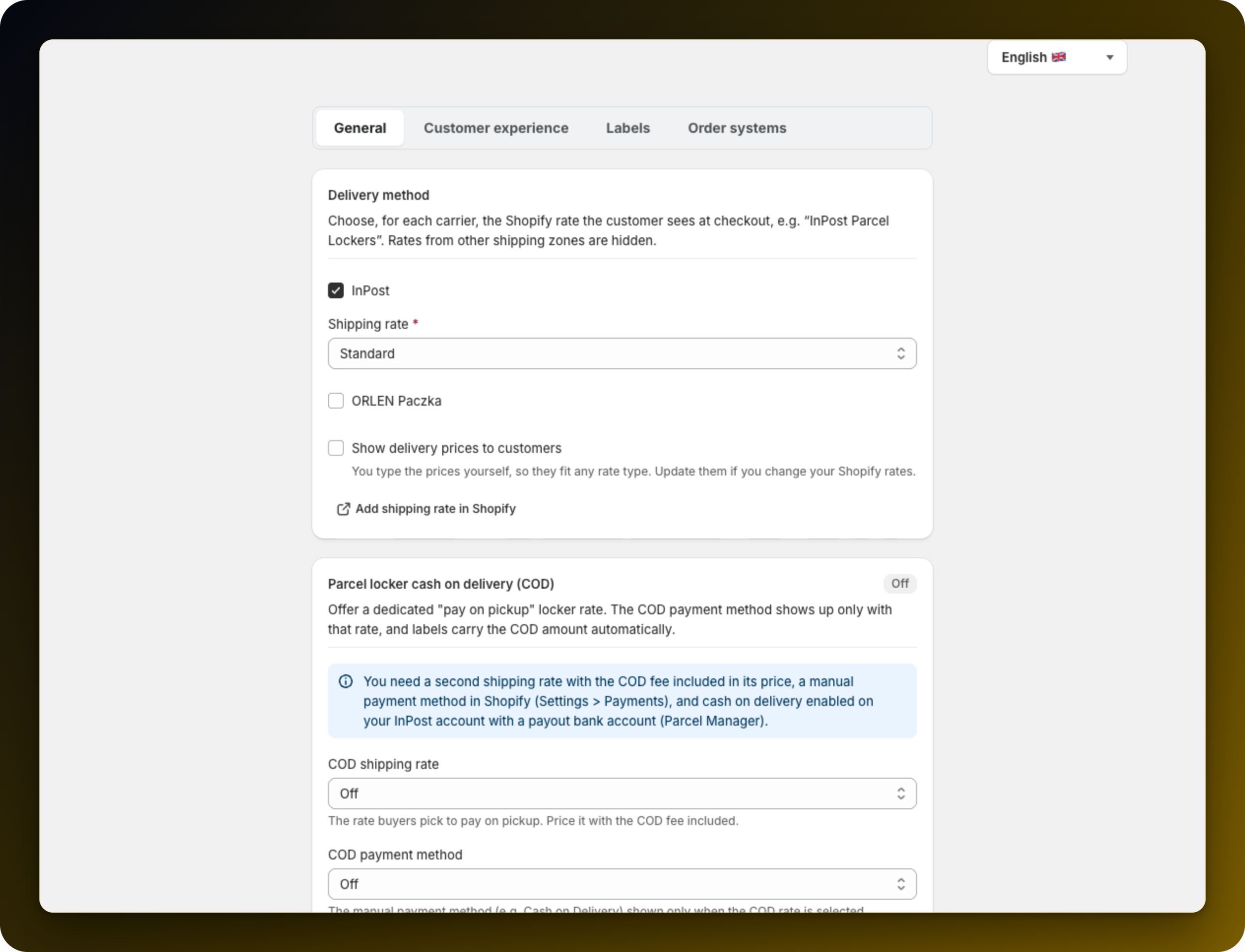
Cash on delivery lets the customer pay when they collect the parcel. It is a Polish market feature, so the Parcel locker cash on delivery (COD) card appears on the General tab of Settings in Poland only. It needs three things before you can switch it on.
All three sit outside the app: a second shipping rate with the cash on delivery fee included in its price, a manual payment method in Shopify (Settings → Payments), and cash on delivery enabled on your InPost account with a payout bank account in Parcel Manager. Do these first: the card only lists what already exists.
A cash on delivery name that sits inside a pickup rate name takes that rate over at checkout: "Paczkomat" swallows "Paczkomat InPost". The app blocks that save: rename one of them in Shopify. The overlap the other way round, "Paczkomat InPost za pobraniem", is fine.
Choose your second rate under COD shipping rate and your manual method under COD payment method, then save. The badge turns to Active. Both fields have to be filled: with only one of them set, the feature does nothing.
The new rate sits directly under your regular pickup rate at checkout. On it, and only on it, the customer pays on pickup and every other payment method is hidden. InPost caps a single cash on delivery shipment at 5000 PLN and takes it in PLN only.
Cash on delivery is InPost only. ORLEN Paczka points never carry it.
If you print labels through Apaczka, add the payout bank account on the Apaczka card as well.
If the option does not appear at checkout, work through Why cash on delivery is not showing at checkout.
Stuck on any of this? Open the chat in the bottom right corner of the app and we will help you set it up.
