With two carriers and two possible label accounts, it stops being obvious where a label will come from. The card Who creates your labels at the top of the Labels tab answers it: one row per carrier you sell, showing which account produces its labels. It is a Poland card, because outside Poland there is only one route.
InPost labels can come from your own InPost account or from Apaczka. When both are connected, the row lets you choose. When only one is, it names it.
ORLEN Paczka has one route, Apaczka, and it ignores the InPost setting. That is on purpose: a store printing InPost labels through its own contract does not have to move them all to a broker just to ship one ORLEN parcel.
A row with no badge is healthy: that carrier will print. A badge names what is missing. No account means nothing you have connected can print for that carrier, so connect your own InPost account or Apaczka further down the same tab. Needs Apaczka and No ORLEN service both point at Apaczka: connect it, or enable an ORLEN service in their panel and press Refresh services on the Apaczka card.
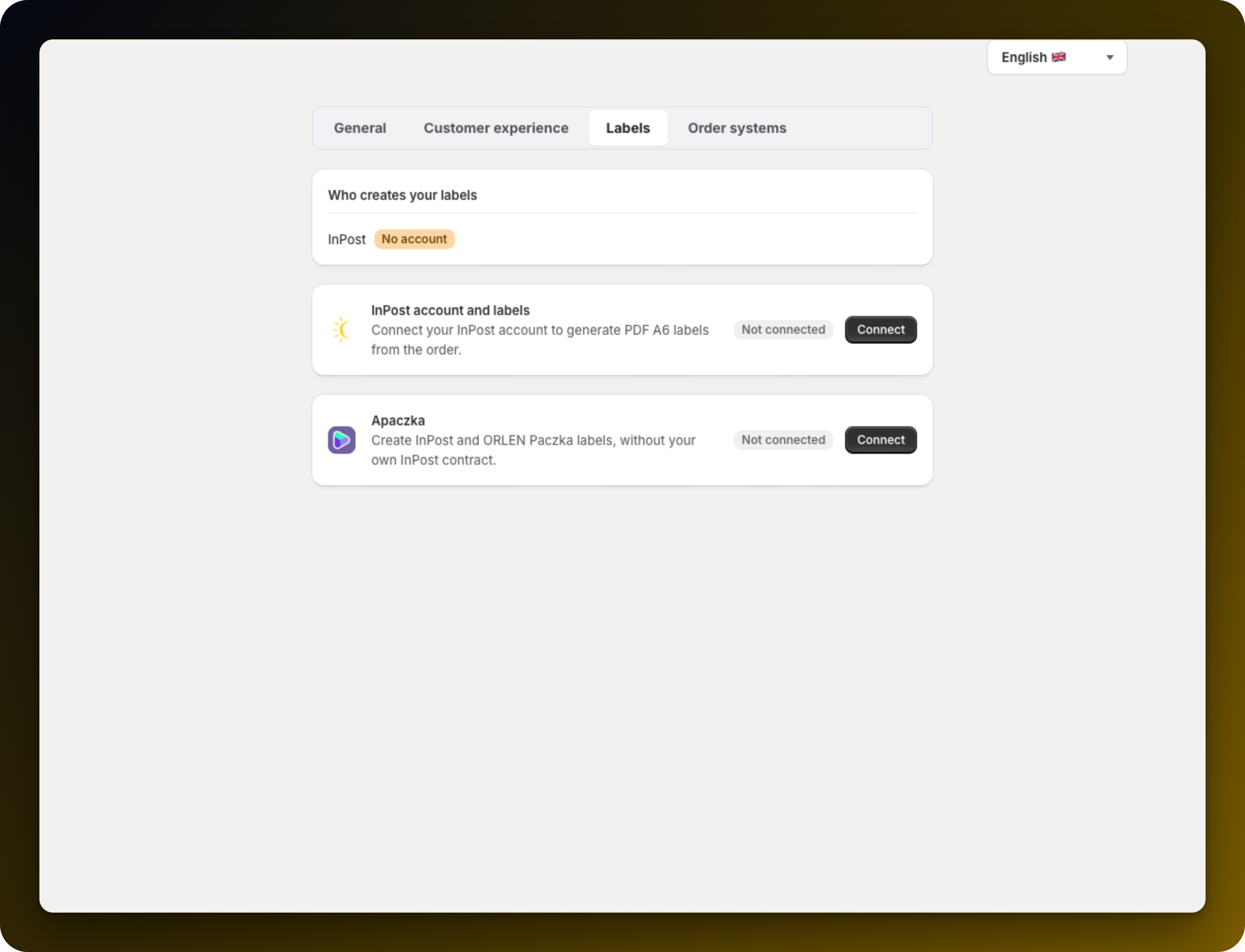
Check this card after every change to a label account. It is the only screen that shows the result per carrier.
If a label still fails while this card looks fine, read Why label generation failed.
Stuck on any of this? Open the chat in the bottom right corner of the app and we will help you set it up.
