InPost delivers to two kinds of place: a parcel locker, which is a machine, and a pickup point, which is a counter in a shop. The Points shown on the map card on the Customer experience tab of Settings decides which of them your customers can pick. The split comes from the Polish InPost network, so the card appears in Poland only. Customers on every other market are offered parcel lockers.
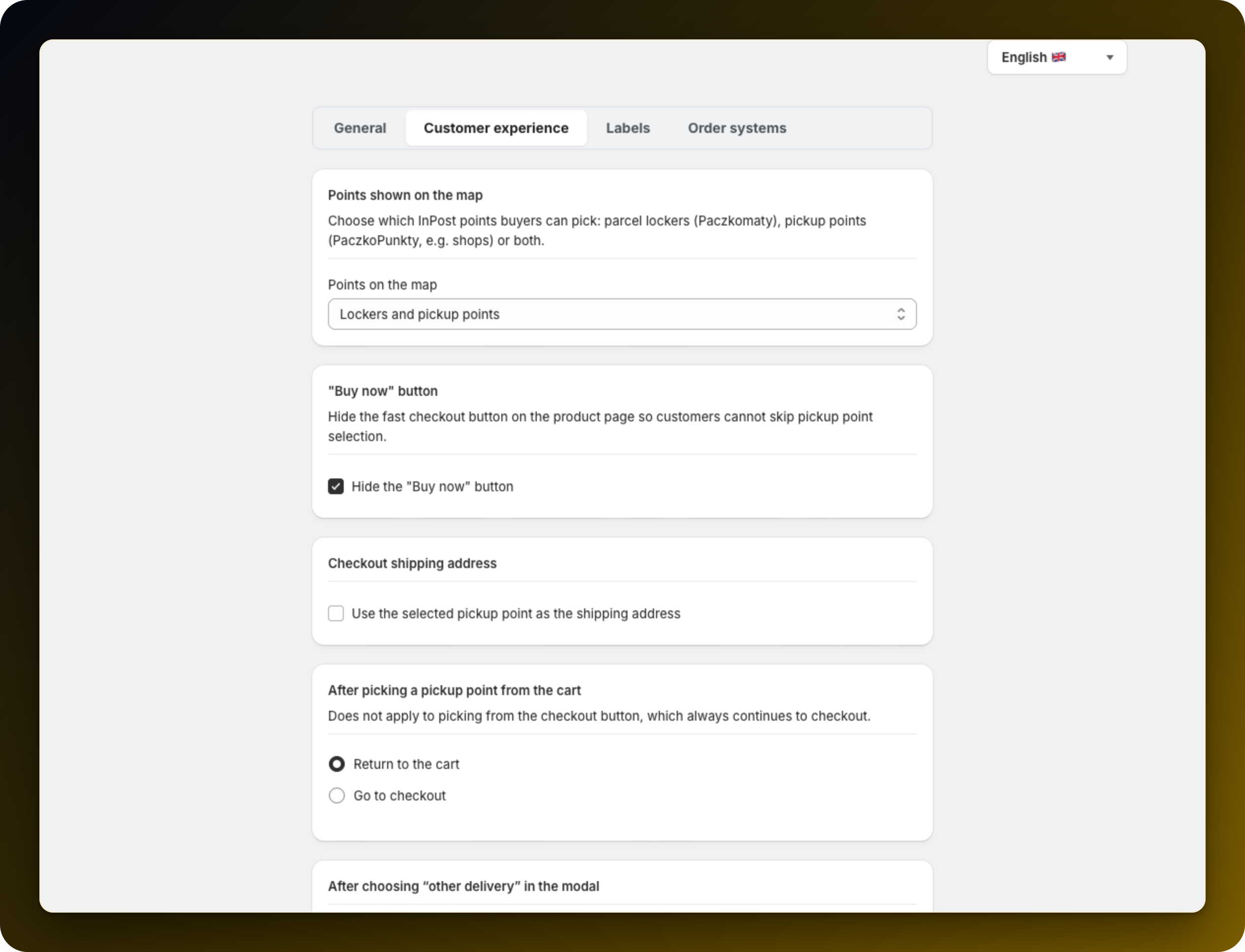
The select is labelled Points on the map. Pick one of the three options and save.
Parcel lockers only: machines, open around the clock and with no staff. The simplest delivery promise to explain, at the cost of coverage where the nearest machine is further away than the nearest shop.
Pickup points only: shop counters, open during shop hours. They reach into places lockers do not and take parcels that would not fit a locker compartment.
Lockers and pickup points: the default. Both kinds go on the map, each one labelled, and the customer decides. This is the widest coverage and the setting most stores stay on.
Open your own storefront and search a town you know. The map now shows only the kind of point you allowed. The setting changes what customers are offered, not what you can print a label for.
The look and wording of that map are set in Customise the pickup modal and map.
If customers tell you the map looks empty in their town, put it back on both kinds before changing anything else.
Stuck on any of this? Open the chat in the bottom right corner of the app and we will help you set it up.
