Three cards on the Customer experience tab of Settings shape the moment after the map closes. All three ship with a safe default, so you only open them if you want something else.
The card After picking a pickup point from the cart has two options: Return to the cart, the default, which lets the customer see their choice confirmed, and Go to checkout, which is one click shorter. A customer who started from the checkout button always carries on to checkout, whichever you pick.
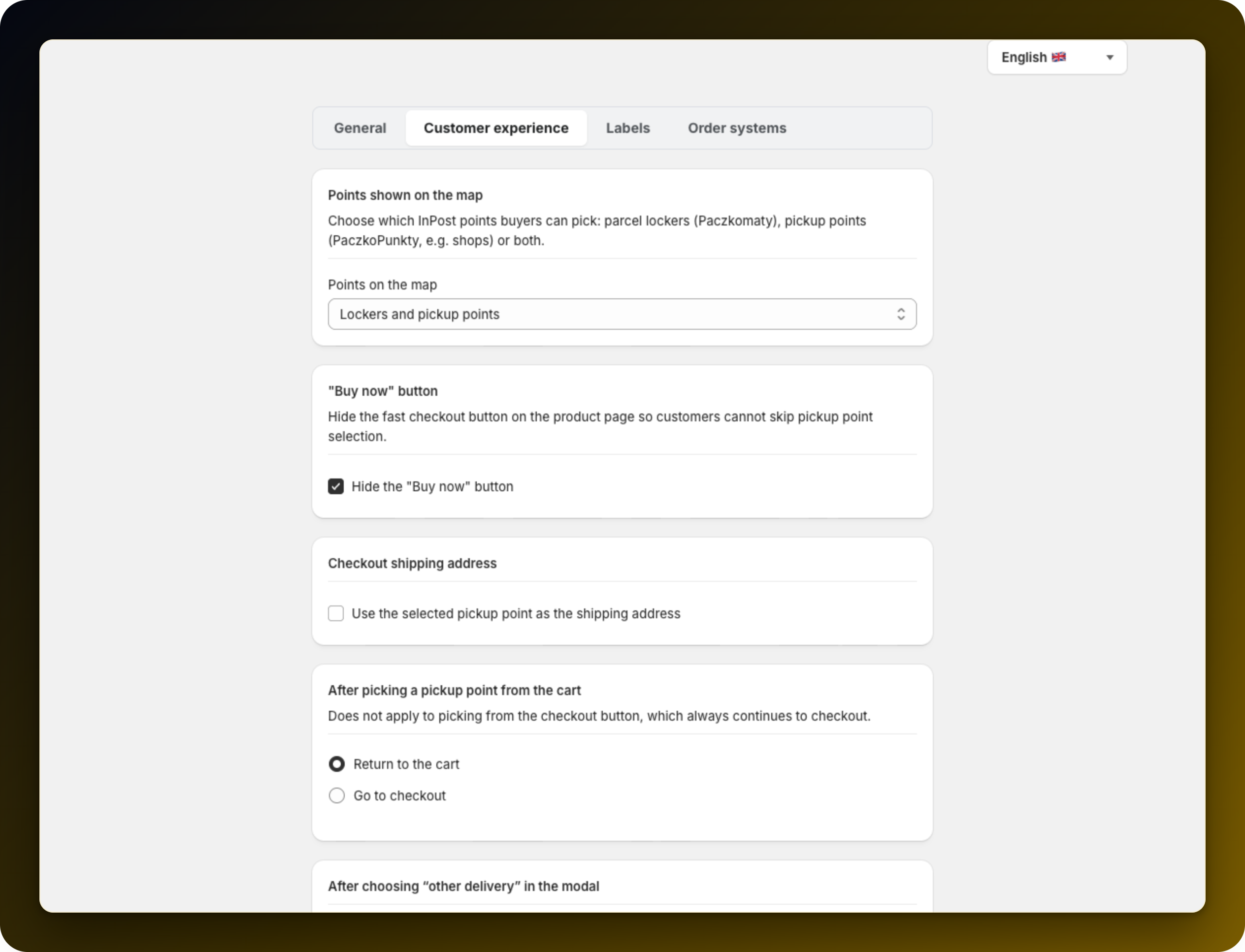
By default the customer's own address stays on the order and the point travels with it for the label. Ticking Use the selected pickup point as the shipping address on the Checkout shipping address card puts the point in the address field instead. Leave it off unless something downstream of Shopify needs it there, because their own address is more useful for support and for returns.
The checkbox Hide pickup point delivery at checkout, on the After choosing "other delivery" in the modal card, is off by default. Left off, a customer who opted out in the modal can still change their mind at checkout. Turned on, they cannot, which usually means fewer pickup orders. It only takes effect on English, Polish and Italian storefronts.
Run a cart both ways to see which landing feels right for your theme, since cart drawers and cart pages behave differently.
If you turn on the address replacement, check one order in your order system before shipping the next batch.
Leave the "other delivery" option open unless you must close it. It is a common cause in Pickup delivery is missing at checkout.
Stuck on any of this? Open the chat in the bottom right corner of the app and we will help you set it up.
